

How to Build Mobile Web Apps: A Practical Step-by-Step Guide
November 23, 2026
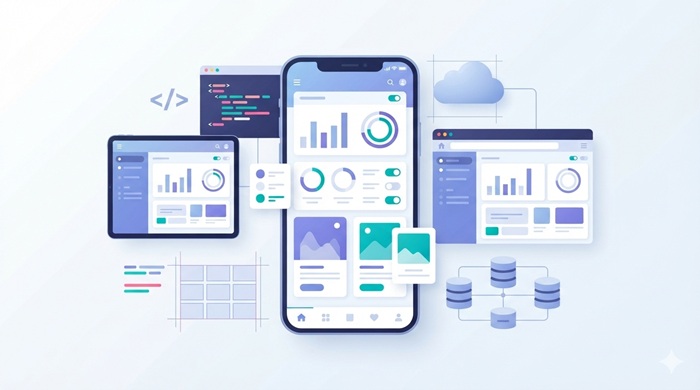
Building a mobile-friendly digital product is no longer just about creating a website that fits smaller screens. Businesses need fast, reliable, and interactive experiences that work smoothly across smartphones, tablets, and different browsers. This is where mobile web apps offer a practical solution.
Unlike traditional websites, these applications provide app-like functionality through a web browser. They can support interactive features, responsive interfaces, user authentication, real-time updates, and, in some cases, offline access. For businesses looking to reach customers across multiple devices without developing separate applications for every platform, this approach can be particularly valuable.
Understanding how to build mobile web apps involves more than writing code. It requires choosing the right technology, planning the user experience, designing a scalable architecture, and testing performance across different devices.
Key Takeaways
-
Mobile web apps combine browser accessibility with interactive, application-like experiences.
-
The right technology stack depends on functionality, scalability, security, and budget.
-
Responsive design, performance optimization, and intuitive navigation are essential.
-
Continuous testing, maintenance, and security updates help deliver a reliable product.
What Are Mobile Web Apps?
Mobile web apps are applications accessed through a mobile browser rather than installed directly from an app marketplace. They use web technologies such as HTML, CSS, and JavaScript to deliver interactive experiences.
Unlike basic mobile websites, these applications can offer features such as personalized dashboards, online transactions, account management, notifications, and dynamic content.
Some can also use Progressive Web App (PWA) technologies to support installation, offline functionality, and other app-like capabilities, depending on browser and operating system support.
Common examples include online banking platforms, booking systems, e-commerce applications, learning portals, and customer service dashboards.
How to Build Mobile Web Apps: 8 Essential Steps
Creating a successful application requires a structured development process. The following steps provide a practical roadmap for businesses and development teams.
1. Define Your App’s Purpose and Requirements
Start by identifying the problem your application needs to solve. A clear purpose helps prevent unnecessary features and keeps development focused on business goals.
Consider the following questions:
-
Who will use the application?
-
What problems should it solve?
-
Which features are essential at launch?
-
Will users need accounts or personalized experiences?
-
Does the application require payments, notifications, or third-party integrations?
For example, an online appointment-booking application may need user registration, available time slots, booking confirmation, payment integration, and automated reminders.
Create a list of core features and separate them from improvements that can be introduced later. This makes it easier to establish a realistic development timeline and budget.
2. Choose the Right Type of Application
Before selecting a technology stack, understand the available development approaches. The decision affects functionality, accessibility, maintenance, and long-term costs.
The main options include:
-
Responsive web applications: Browser-based applications that automatically adjust to different screen sizes.
-
Progressive Web Apps (PWAs): Web applications that use supported browser capabilities to provide features such as installation and offline access.
-
Native applications: Software developed specifically for platforms such as Android or iOS.
Understanding the different types of mobile apps helps businesses identify which approach best supports their audience and product requirements.
The choice between a native app vs progressive web app also deserves careful consideration. Native development may be appropriate when deep device integration or platform-specific capabilities are essential, while browser-based solutions can offer broader accessibility with a shared codebase.
3. Select the Right Technology Stack
Technology selection plays an important role in application performance, development speed, and future scalability.
A typical architecture includes three major components:
Frontend technologies
The frontend controls what users see and interact with.
-
HTML5 for content structure.
-
CSS3 for styling and responsive layouts.
-
JavaScript for interactive functionality.
-
React, Vue.js, or Angular for building complex interfaces.
Backend technologies
The backend manages business logic, authentication, data processing, and communication between application components.
Common options include Node.js, Python, PHP, and Java.
Database technologies
Databases store user profiles, transactions, application content, and other information.
Popular choices include PostgreSQL, MySQL, and MongoDB.
There is no universally suitable option when choosing the best framework for mobile web apps. React, Vue.js, and Angular each have different strengths, so the decision should reflect project complexity, developer expertise, ecosystem support, and maintenance requirements.
4. Design a Responsive and User-Friendly Interface
An application should feel natural on every screen size. A layout that works perfectly on a desktop computer may become difficult to use on a smartphone.
Start with a mobile-first design approach. This means designing for smaller screens before expanding the interface for tablets and desktops.
Important design considerations include:
-
Use flexible grids and responsive CSS layouts.
-
Keep buttons large enough for comfortable touch interaction.
-
Choose readable typography and appropriate spacing.
-
Avoid unnecessary pop-ups and distracting elements.
-
Keep important actions easy to find.
-
Make forms simple and minimize user input.
Navigation also has a direct impact on usability. Well-planned mobile app navigation patterns help users move between important sections without confusion.
For products intended to work across emerging device formats, designing responsive app layouts can also help maintain consistency across changing screen dimensions.
5. Start Developing the Core Features
Once the architecture and interface are ready, development can begin.
A practical approach is to build a Minimum Viable Product (MVP) first. An MVP includes the essential features needed to make the application useful without investing in every possible functionality at the beginning.
Depending on the project, core features may include:
-
User registration and secure login.
-
User profiles and account settings.
-
Search and filtering.
-
Forms and interactive dashboards.
-
Payment gateway integration.
-
Push notifications where supported.
-
API connections with external platforms.
During mobile web apps development, frontend and backend components should be developed with clear communication between them.
Use APIs to exchange information between the interface and server. Keep components modular so that individual features can be updated without affecting the entire application.
6. Optimize Speed, Performance, and Accessibility
Performance directly affects user satisfaction. Slow-loading pages, unresponsive buttons, and unnecessary animations can make users abandon an application.
Focus on practical optimization techniques:
Compress images: Use modern formats such as WebP or AVIF where appropriate to reduce file sizes.
Minimize code: Remove unused JavaScript and CSS, and reduce unnecessary scripts.
Use caching: Cache suitable resources to reduce repeated network requests.
Implement lazy loading: Load non-critical images and content when they are needed.
Optimize server responses: Use efficient database queries, suitable hosting, and content delivery networks where appropriate.
Accessibility should receive equal attention. Provide descriptive labels, keyboard accessibility, sufficient color contrast, and meaningful alternative text for images.
These improvements make mobile web apps more useful to a wider range of people and help create a smoother experience across different devices and network conditions.
7. Test Security, Compatibility, and Functionality
Testing should begin during development rather than being postponed until the application is complete.
An application may work perfectly in one browser but experience layout or functionality problems in another. Test across popular browsers, operating systems, and screen sizes.
Your testing process should cover:
-
Functional testing of every major feature.
-
Responsive testing on smartphones and tablets.
-
Browser compatibility testing.
-
Performance and load testing.
-
Accessibility testing.
-
Security and authentication testing.
-
API and database validation.
Security is particularly important when applications handle personal information or financial transactions.
Use HTTPS, secure authentication, appropriate authorization controls, input validation, and protected data storage. Follow established security guidance, such as the OWASP Application Security Verification Standard, when assessing application risks.
8. Launch, Monitor, and Improve the Application
Launching the product is not the final stage of development. Real users may discover problems that were not identified during internal testing.
Before launch, verify that hosting, domain configuration, SSL certificates, backups, analytics, and monitoring tools are properly configured.
After deployment, monitor important performance indicators, including:
-
Application loading time.
-
User engagement and retention.
-
Error rates and failed transactions.
-
Conversion rates.
-
Server availability.
-
User feedback.
Use this information to prioritize improvements. Regular updates, security patches, feature enhancements, and performance monitoring help maintain a dependable application as business requirements evolve.
Best Practices for Successful Mobile Web App Development
A well-built product needs more than functional code. The following practices help create an application that remains useful as the business grows.
Follow a Mobile-First Development Strategy
Prioritize the smartphone experience because many users access digital services through mobile devices. Build a flexible foundation that adapts to larger screens without compromising usability.
Keep the Interface Simple
Avoid adding features simply because they are technically possible. Focus on user needs, clear navigation, and straightforward workflows.
Build for Scalability
Choose an architecture that can accommodate more users, additional integrations, and new functionality. Modular components and efficient APIs make future improvements easier.
Prioritize Data Protection
Apply security measures throughout the development lifecycle. Regularly review permissions, dependencies, authentication processes, and data-handling practices.
Use Real User Feedback
Collect feedback after launch and identify areas where users experience difficulty. Improvements should be based on actual usage patterns rather than assumptions.
How Much Does It Cost to Build Mobile Web Apps?
The development cost depends on the application’s complexity, design requirements, technology stack, integrations, and development team’s experience.
A basic application with limited functionality generally requires less investment than a sophisticated platform with payment processing, real-time communication, user dashboards, and third-party integrations.
Other expenses may include hosting, domain registration, security services, maintenance, analytics, and ongoing feature development.
Businesses should define their essential requirements before requesting estimates. A clearly scoped MVP is often a sensible starting point because it allows teams to validate the product before committing to more advanced features.
Why Choose a Professional Mobile App Development Partner?
Building an application requires expertise in frontend development, backend architecture, UI/UX design, security, testing, and deployment. Managing all these areas internally can become challenging, particularly for businesses without an established technical team.
Working with an experienced mobile apps development agency can help streamline planning, design, development, and ongoing improvements.
A professional team can also recommend suitable technologies, identify potential technical challenges, and create an application that aligns with business objectives.
JNA is building applications and also providing digital marketing services across the USA. By combining application development with digital marketing expertise, JNA helps businesses strengthen their digital presence, improve customer engagement, and support their online growth.
Frequently Asked Questions
1. What technologies are used to build mobile web apps?
HTML, CSS, JavaScript, frontend frameworks, backend technologies, APIs, and databases are commonly used.
2. Can mobile web apps work offline?
Yes, supported applications can use service workers and caching to provide selected offline functionality.
3. How long does it take to develop a mobile web app?
Development may take several weeks to several months, depending on features, integrations, and project complexity.
4. Are mobile web apps better than native applications?
They offer broader browser accessibility, while native applications provide deeper platform-specific integration; the right choice depends on project requirements.
5. Can mobile web apps be installed on smartphones?
Some applications, particularly eligible Progressive Web Apps, can be installed through supported browsers and operating systems.