

Mobile App Navigation Patterns That Make UX Better
October 28, 2026
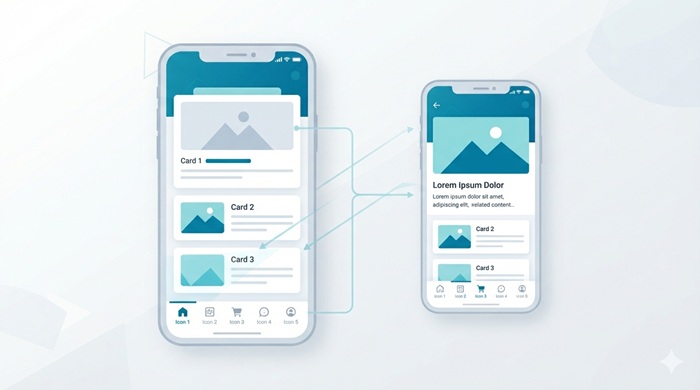
A well-designed mobile app should help people find what they need without confusion. From browsing products to managing appointments, users expect clear menus, predictable interactions, and quick access to essential features. That is why mobile app navigation patterns play such an important role in user experience (UX), customer satisfaction, and retention.
The right navigation structure makes an app easier to understand, reduces unnecessary taps, and helps users complete tasks with confidence. For businesses investing in mobile app development, choosing an appropriate navigation pattern is a practical step toward building an app that people enjoy using.
Key Takeaways
-
Choose navigation based on the app’s primary purpose and user needs.
-
Use familiar patterns such as bottom navigation, tabs, and navigation drawers.
-
Keep important destinations visible and interactions consistent.
-
Test usability, accessibility, performance, and user behavior before launch.
What Are Mobile App Navigation Patterns?
Navigation refers to the way users move between screens, sections, and features within an application. It includes menus, tabs, back buttons, search tools, and other controls that help people reach their destinations.
Well-planned mobile app navigation patterns create a clear information hierarchy. Users can recognize where they are, understand which options are available, and move between related tasks without repeatedly returning to the home screen.
The best approach depends on the app’s purpose, the number of destinations, and how frequently users access particular features. Google’s Android navigation guidelines recommend familiar navigation structures because they align with users’ existing expectations.
7 Common Mobile App Navigation Patterns With Examples
Understanding popular navigation structures makes it easier to choose a layout that suits your audience and business goals.
1. Bottom Navigation Bar
A bottom navigation bar places the main destinations along the lower edge of the screen. It works particularly well for apps where users regularly switch between a few equally important sections.
Examples: Shopping apps with Home, Categories, Wishlist, and Profile; banking apps with Accounts, Payments, and Transactions.
For effective mobile app navigation patterns, keep the number of destinations manageable and use short text labels alongside recognizable icons. Apple’s Human Interface Guidelines recommend keeping tab navigation focused on top-level sections rather than actions.
2. Hamburger Menu or Navigation Drawer
A hamburger menu typically uses three horizontal lines to open a drawer containing additional destinations. This structure is useful when an application has many sections that cannot comfortably fit in a bottom navigation bar.
Examples: Business dashboards, news applications, and service platforms with multiple account settings.
However, hiding every important destination inside a drawer can make features harder to discover.
Keep frequently used destinations visible whenever possible, and reserve the drawer for secondary sections.
3. Tab-Based Navigation
Tabs organize related content into separate views within the same section. They help users compare information or switch between closely connected categories without navigating through multiple screens.
Examples: Product pages with Details, Reviews, and Specifications; fitness apps with Daily, Weekly, and Monthly statistics.
This approach works best when each tab represents a clearly defined category at the same level of the information hierarchy. Use descriptive labels and maintain a visible selected state so people understand which section they are viewing.
4. Stack-Based Navigation
Stack-based navigation takes users from a broader screen to increasingly detailed views. A back button or platform-standard back gesture returns them to the previous screen.
Examples: Opening a product category, selecting a product, viewing its specifications, and proceeding to checkout.
This structure is suitable for content-heavy applications, shopping experiences, and multi-step workflows. Well-implemented mobile app navigation patterns should preserve the user’s progress when moving backward, rather than unexpectedly resetting filters, selections, or form entries.
5. Gesture-Based Navigation
Gesture-based controls allow users to swipe, drag, pinch, or perform other touch interactions to move through content or complete tasks.
Examples: Swiping between photographs, dismissing a card, or using a familiar back gesture.
Gestures can make an interface feel responsive, but they should not replace essential visible controls. Provide clear visual cues for important actions and ensure that gesture interactions behave consistently across the application.
6. Search-First Navigation
Search-first navigation gives users a direct way to find specific information instead of browsing through multiple categories.
Examples: Travel apps that search for destinations, food delivery apps that locate restaurants, and marketplaces that let shoppers find products by name.
This approach is especially valuable when an application contains a large catalog or extensive content library. Add useful suggestions, relevant filters, understandable results, and helpful empty states.
7. Hub-and-Spoke Navigation
A hub-and-spoke structure uses a central screen as the starting point for different tasks. Users enter a feature, complete an activity, and return to the hub to begin another.
Examples: Employee portals, appointment-booking apps, and personal finance dashboards.
This model works well when users perform distinct activities that do not require constant switching between sections. The central screen should highlight common tasks and provide a clear route back after each activity.
iOS and Android Navigation: What Should You Consider?
Although the core principles of good UX remain similar, platform conventions influence how people expect navigation to behave.
iOS App Navigation Patterns
Common ios app navigation patterns include tab bars for major destinations, navigation bars for hierarchical screens, and familiar back controls for returning to previous views.
iOS interfaces benefit from consistent system conventions, clear labels, and predictable transitions. Avoid introducing unnecessary custom behavior when an established interaction already meets the user’s needs.
Android App Navigation Patterns
Common android app navigation patterns include navigation bars for a small group of primary destinations, navigation drawers for larger menus, and tabs for related content within a section.
Google also recommends adapting navigation to the available screen size. A layout suitable for a compact phone may need a navigation rail or another arrangement on a larger device.
The goal is not to make both platforms look identical. Instead, preserve the same core functionality while respecting the interaction conventions people already understand.
How to Choose the Right Navigation Structure
Selecting from available mobile app navigation patterns requires more than choosing a visually appealing menu. Start by identifying what users need to accomplish most often.
Understand Your Users’ Primary Tasks
Map the most common journeys before designing the interface. A banking app may prioritize account balances and transfers, while an online store may emphasize product discovery, saved items, and checkout.
Organize destinations according to their importance and frequency of use. Keep the most valuable tasks easy to reach.
Match Navigation to Information Architecture
Group related features into logical categories. Avoid placing unrelated functions under vague labels or creating too many levels of nested menus.
A clear hierarchy helps users build a mental model of the application. This makes complex features easier to discover and reduces the effort required to move between screens.
Consider Screen Size and One-Handed Use
Mobile interfaces should account for different screen dimensions, orientations, and interaction preferences. Frequently used controls should be easy to reach without obscuring important content.
Responsive mobile app navigation patterns can adapt to compact phones, foldable devices, and tablets while maintaining a consistent experience.
Support Accessibility From the Start
Readable labels, sufficient contrast, meaningful focus states, and appropriately sized touch targets make navigation easier for more people.
Review how to design accessible mobile apps to understand how inclusive design principles can improve usability for people with different abilities and interaction needs.
Accessibility should be considered during planning and prototyping, not added as a final visual adjustment.
Best Practices for Better Mobile Navigation UX
A good navigation system should feel almost invisible: users can focus on their tasks instead of figuring out how the interface works.
Follow these practical guidelines when refining mobile app navigation patterns.
-
Keep labels clear: Use familiar words such as Home, Search, Orders, and Profile.
-
Prioritize important destinations: Make frequent tasks easy to find without opening multiple menus.
-
Maintain consistency: Use the same terminology, icon meanings, and interaction rules throughout the app.
-
Provide clear feedback: Show selected tabs, loading states, successful actions, and relevant errors.
-
Preserve user progress: Retain meaningful selections and form data when users navigate between screens.
-
Avoid unnecessary complexity: Remove duplicate destinations and excessive menu levels.
-
Test real user journeys: Observe how people complete tasks rather than relying solely on internal design preferences.
These principles create a predictable experience without forcing every application into the same layout.
Common Navigation UX Mistakes to Avoid
Even attractive interfaces can frustrate users when navigation is poorly organized. Watch for these common problems.
Too Many Primary Destinations
Crowding a navigation bar with too many options makes each item harder to recognize. Consolidate related sections and move less frequently used features into a secondary menu.
Unclear Icons Without Labels
An icon that seems obvious to a designer may mean something different to a new user. Add short labels where needed, especially for important destinations or less familiar functions.
Inconsistent Back Behavior
Users should not lose their place or unexpectedly exit a workflow when returning to an earlier screen. Follow platform conventions and test navigation across nested screens, dialogs, and multi-step processes.
Ignoring Security and Privacy
Navigation can expose sensitive areas such as account details, payment history, and personal settings. Clear access controls and secure authentication should support the overall experience.
Include mobile application security testing in the broader quality assurance process to identify vulnerabilities before they affect users.
How to Test and Measure Navigation Performance
Good UX decisions should be supported by actual user behavior. Test important journeys with representative users before launch and after significant interface updates.
Useful indicators include:
-
Task completion rate: The percentage of users who successfully finish a task.
-
Time on task: How long users take to reach a destination or complete an action.
-
Navigation errors: Incorrect taps, repeated backtracking, and abandoned journeys.
-
Feature discovery: Whether users can locate and use important features.
-
Retention and engagement: Whether the experience encourages users to return and continue using the app.
For more reliable insights, establish a measurement plan before collecting analytics. Teams can improve their approach to measuring mobile apps traffic by connecting usage data with meaningful engagement and conversion goals.
| App category | Recommended structure | Primary UX goal |
| E-commerce | Bottom bar, category tabs, search | Help shoppers discover and purchase products |
| Banking | Bottom navigation and secure task flows | Make balances and transactions easy to access |
| Healthcare | Dashboard, task-based navigation, clear back controls | Simplify appointments and personal information |
| Education | Bottom navigation and course-based hierarchy | Make lessons, progress, and resources accessible |
| Travel | Search-first navigation and trip dashboards | Streamline destination discovery and booking |
Combine quantitative analytics with usability sessions and user feedback. Metrics can reveal where people struggle, while direct observation helps explain why those problems occur.
Practical Mobile App Navigation Patterns Examples by Industry
The most effective structure depends on what users want to accomplish. These mobile app navigation patterns examples illustrate how businesses can align navigation with their product goals.
These are starting points rather than rigid rules. The most suitable mobile app navigation patterns should reflect user research, content complexity, and the frequency of important tasks.
How JNA Helps Businesses Build Better Mobile Experiences
Choosing a navigation model is only one part of creating a successful digital product. Businesses also need a well-planned interface, reliable development, thoughtful testing, and a strategy for attracting the right audience.
JNA is a mobile app development company that helps businesses turn ideas into functional digital experiences. Our mobile app development services support businesses looking to build applications around their requirements, users, and growth objectives.
A strong development process connects product strategy, user experience, technical implementation, and quality assurance. This helps ensure that navigation decisions work effectively in the finished application rather than only in design prototypes.
JNA also provides complete digital marketing services, helping businesses strengthen their online presence and connect with their target audiences. Combining application development with digital marketing can support a more coordinated approach to product visibility, user acquisition, and long-term growth.
Frequently Asked Questions
1. What are mobile app navigation patterns?
They are interface structures that help users move between screens, features, and content within an application.
2. Which navigation pattern is best for a mobile app?
Bottom navigation works well for a few frequently used destinations, while drawers and hierarchical navigation suit more complex applications.
3. How many items should a bottom navigation bar contain?
Three to five primary destinations is a practical starting point, depending on the platform and application requirements.
4. How does navigation improve mobile app UX?
Clear navigation reduces confusion, improves feature discovery, and helps users complete tasks with fewer unnecessary interactions.
5. How can businesses test navigation usability?
Businesses can conduct usability tests, analyze task completion rates, track navigation errors, and gather feedback from real users.
Conclusion
Effective mobile app navigation patterns make digital products easier to understand, more accessible, and more convenient to use. The right structure depends on the audience, the complexity of the application, and the tasks users perform most often.
Start with a clear information hierarchy, follow familiar platform conventions, and validate decisions through usability testing. With consistent design, thoughtful development, and ongoing measurement, businesses can create experiences that encourage users to stay engaged and return.