

Core Web Vitals Checklist for Better Mobile-First SEO
July 16, 2026
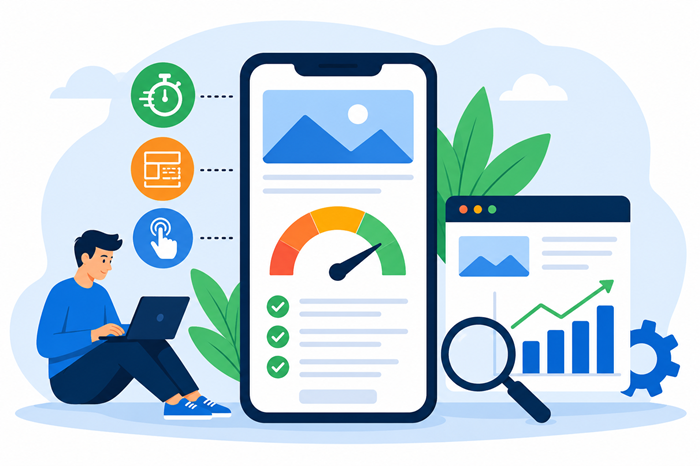
Mobile search now drives the majority of online traffic, making website performance more important than ever. If your pages load slowly, shift unexpectedly, or feel unresponsive on smartphones, both visitors and search engines may view your site less favorably. That’s why understanding the relationship between core web vitals, user experience, and search visibility is essential for modern websites.
This guide walks through a practical checklist that helps website owners, marketers, and developers prepare their sites for Google’s mobile-focused approach. Whether you’re managing a business website, blog, or eCommerce store, these best practices can improve usability, increase engagement, and support stronger search performance over time.
Why Mobile Performance Matters More Than Ever
Google primarily evaluates the mobile version of your website when determining how it should appear in search results. This means that a fast, responsive, and stable mobile experience is no longer optional.
Visitors also expect websites to load almost instantly. Even a short delay can increase bounce rates, reduce conversions, and lower customer satisfaction. Improving performance benefits both search visibility and user experience, making it one of the smartest long-term investments for any website.
Understanding Google’s User Experience Signals
Google measures page experience using several real-world performance indicators that focus on how users interact with your website.
These metrics evaluate loading speed, visual stability, and responsiveness. Together, they provide insight into whether visitors are enjoying a smooth browsing experience or becoming frustrated before they even engage with your content.
Rather than chasing individual numbers, the goal should be creating pages that feel fast and intuitive on every mobile device.
Your Complete Mobile Performance Checklist
Following a structured checklist helps you identify improvements without overlooking important details.
1. Improve Initial Page Loading
The first content users see should appear quickly.
You can improve loading performance by:
- Compressing images before uploading.
- Serving next-generation image formats where appropriate.
- Enabling browser caching.
- Using a reliable hosting provider.
- Reducing unnecessary redirects.
Small improvements in loading speed often create noticeable gains in visitor satisfaction.
2. Reduce Layout Shifts
Nothing frustrates users more than buttons moving while they’re trying to tap them.
Prevent unexpected layout movement by:
- Defining image dimensions.
- Reserving space for advertisements.
- Avoiding dynamically inserted content above existing elements.
- Using consistent font loading strategies.
Stable layouts make browsing feel smoother and more professional.
3. Make Every Interaction Responsive
Visitors expect immediate feedback after tapping buttons or menus.
Improve responsiveness by:
- Minimizing heavy JavaScript.
- Removing unused scripts.
- Breaking long processing tasks into smaller ones.
- Loading only the code needed for each page.
Responsive pages encourage users to continue exploring your website instead of abandoning it.
4. Optimize Mobile Navigation
Simple navigation reduces frustration.
A strong mobile navigation structure should include:
- Clear menus
- Large tap targets
- Readable fonts
- Consistent spacing
- Logical page hierarchy
The easier visitors can find information, the longer they tend to stay.
5. Compress and Optimize Images
Images often account for the largest portion of a webpage.
Best practices include:
- Resizing images before uploading.
- Using lazy loading.
- Choosing appropriate image formats.
- Removing unnecessary metadata.
Well-optimized images improve loading speed without sacrificing quality.
6. Remove Unnecessary Code
Many websites accumulate outdated plugins, scripts, and CSS files over time.
Regular cleanup helps:
- Reduce page size.
- Improve loading performance.
- Simplify maintenance.
- Lower server requests.
Keeping your website lean benefits both users and search engines.
7. Test on Real Mobile Devices
Desktop testing alone isn’t enough.
Always review your website on:
- Android phones
- iPhones
- Tablets
- Different screen sizes
- Multiple browsers
Real-device testing reveals usability issues that emulators sometimes miss.
Common Mistakes That Hurt Mobile Performance
Even well-designed websites can develop performance issues over time.
Some of the most common include:
- Oversized hero images
- Excessive animations
- Too many third-party scripts
- Poor hosting performance
- Render-blocking resources
- Auto-playing videos
- Large popup windows
Addressing these issues often produces immediate improvements.
Monitor Performance Regularly
Website performance isn’t something you optimize once and forget.
Regular monitoring helps detect:
- Plugin conflicts
- Server slowdowns
- Broken resources
- Performance regressions
- New optimization opportunities
Many businesses schedule monthly reviews to keep their websites performing consistently.
Why Technical Health Supports Long-Term Rankings
Great content alone cannot overcome major website performance problems.
A well-maintained site provides search engines with pages that are easier to crawl, understand, and rank. Investing in technical seo ensures your website remains accessible, efficient, and capable of supporting long-term organic growth.
Businesses that perform routine maintenance also find it easier to scale their websites without creating unnecessary performance bottlenecks.
When a Full Website Review Becomes Necessary
Performance issues aren’t always obvious.
Sometimes slow loading, indexing problems, or declining rankings stem from deeper website architecture issues. Conducting a thorough technical seo audit helps uncover these hidden obstacles before they become larger problems.
If you’re looking for professional digital marketing services, it’s worth choosing a team that evaluates both technical performance and overall search strategy instead of focusing only on content or backlinks.
Don’t Ignore Hidden Website Issues
Some performance problems remain invisible until rankings begin to decline.
Broken internal structures, crawl inefficiencies, and indexing conflicts often develop gradually. Learning how to identify hidden seo problems early can prevent costly performance losses later.
Avoid Content Overlap as Your Website Grows
As websites expand, multiple pages may unintentionally compete for the same search intent.
Knowing how to identify and fix keyword cannibalization helps ensure each page has a clear purpose, improving both user experience and search visibility.
Manual Reviews Still Matter
Automated scanners provide valuable insights, but they don’t catch everything.
Understanding the differences between manual seo audits vs automated tools helps website owners make better optimization decisions and uncover issues that software alone may overlook.
Stay Prepared for Search Algorithm Changes
Website performance is only one part of long-term SEO success.
If rankings suddenly decline, it’s helpful to understand the common reasons organic traffic drops after a Google update before making significant changes to your website.
Building a Better Mobile Experience
Improving mobile usability isn’t about chasing perfect scores. It’s about delivering a faster, smoother experience that keeps visitors engaged from the moment they land on your website.
Consistent optimization, regular testing, and thoughtful maintenance create websites that perform well for both users and search engines. By focusing on speed, stability, responsiveness, and overall usability, you’ll build a stronger foundation for sustainable online growth while supporting mobile-first indexing, better core web vitals seo, smarter core web vitals optimization, and more effective technical seo services over time.
Frequently Asked Questions
1. What are Core Web Vitals?
They are Google’s user experience metrics that measure loading speed, responsiveness, and visual stability.
2. Why is mobile-first indexing important?
Google primarily evaluates your site’s mobile version when determining search rankings.
3. How often should I check website performance?
A monthly review is recommended, with additional checks after major website updates.
4. Can large images affect search performance?
Yes, oversized images can slow page loading and reduce overall user experience.
5. Is website speed a ranking factor?
Yes, page experience and loading performance contribute to overall search performance.