

Best iOS Development Tools for Building Better Apps
August 25, 2026
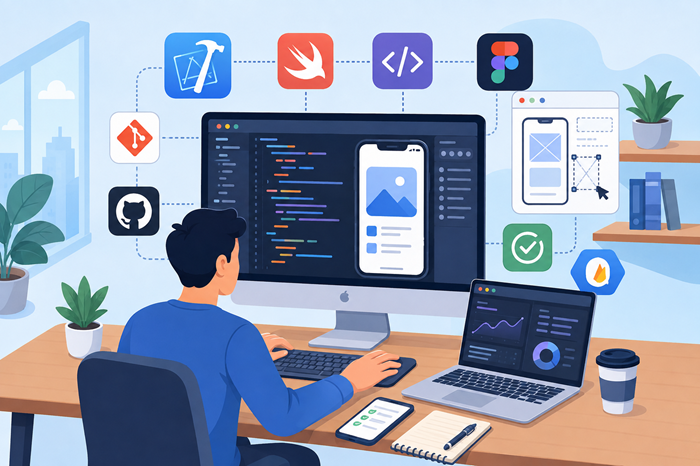
Creating a successful iPhone or iPad application takes more than a good idea. Developers need the right software, frameworks, testing platforms, and collaboration resources to turn an app concept into a reliable product. The right toolkit can simplify coding, speed up testing, improve design consistency, and make long-term maintenance easier.
Whether you are launching your first mobile product or improving an established application, understanding which tools fit your workflow can save significant time and effort. This guide explores the platforms developers commonly rely on and explains how to choose the right combination for your project.
Key Takeaway
-
Xcode remains the core environment for creating native Apple applications.
-
Testing and design tools help improve quality before release.
-
The best toolkit depends on your app’s features, team size, budget, and technical requirements.
-
A strong development process combines coding, collaboration, accessibility, and performance testing.
What Are the Best iOS Development Tools?
The best tools for Apple app creation are not necessarily the ones with the most features. The right choice depends on what you are building and how your team works.
A typical workflow may include an integrated development environment, programming language, user interface framework, version control platform, testing solution, and design software. Some teams also use analytics and crash-reporting platforms after launch.
When evaluating the best ios development tools, it helps to focus on how well each option supports your actual development process rather than choosing software simply because it is popular.
Xcode: The Foundation of Native Apple App Creation
Xcode is Apple’s official integrated development environment and is the starting point for most native applications built for iPhone, iPad, Apple Watch, and other Apple platforms.
It provides code editing, debugging, interface design, simulation, performance analysis, and testing capabilities in one environment.
Why Xcode Is Important
One of Xcode’s biggest advantages is its direct integration with Apple’s platforms. Developers can write code, test different device configurations, identify issues, and prepare applications for App Store distribution from the same ecosystem.
The iOS Simulator is particularly useful because it allows teams to test applications across different device types without needing every physical device available.
Xcode also works closely with Swift and Apple frameworks, making it an essential part of professional native ios development.
When Xcode Is the Right Choice
Xcode is generally the best option when you want full access to Apple-specific features, native performance, and the latest platform capabilities.
However, development tools are only one part of the process. Working with an experienced ios development agency can also help businesses make the right technical decisions when they need professional planning, design, engineering, and ongoing support.
Swift: The Primary Language for Modern Apple Apps
Swift is Apple’s modern programming language for building applications across its ecosystem. It was designed to provide strong performance while making code easier to read and maintain.
Its modern syntax and safety features can help developers reduce common programming mistakes.
Why Developers Choose Swift
Swift offers several benefits for modern mobile projects:
-
Clean and readable syntax
-
Strong performance
-
Improved type safety
-
Support for modern concurrency
-
Compatibility with Apple’s latest frameworks
For teams starting a new native application, Swift is usually the primary language to consider.
SwiftUI: A Modern Approach to Interface Development
SwiftUI allows developers to create interfaces using a declarative approach. Instead of manually managing every change to the user interface, developers describe how the interface should appear based on the application’s current state.
This can make certain types of interface development faster and easier to maintain.
SwiftUI also supports Apple’s broader platform ecosystem, making it useful for projects that extend beyond the iPhone.
SwiftUI vs. UIKit
UIKit remains important, particularly for existing applications and advanced interface requirements. Many established projects still depend heavily on UIKit, while newer applications may use SwiftUI or a combination of both.
The right choice often depends on project requirements rather than following a single approach.
When planning building an ios development apps, it is worth considering the application’s expected lifespan, interface complexity, target devices, and future maintenance needs before selecting the primary UI framework.
GitHub and Git for Version Control
Version control is essential when multiple developers work on the same application. Git allows teams to track changes, create separate branches, review code, and restore previous versions when necessary.
Platforms such as GitHub provide additional collaboration features, including pull requests, issue tracking, and code review workflows.
Why Version Control Matters
Without structured version control, development can quickly become difficult to manage. A small mistake may overwrite working code, and team members may struggle to understand which changes belong to which feature.
A reliable Git workflow helps create accountability and makes collaboration more organized.
Figma for App Design and Team Collaboration
Before development begins, designers and stakeholders often need to visualize the application’s structure and user experience. Figma is widely used for creating wireframes, interface designs, and interactive prototypes.
It also allows designers and developers to collaborate around the same project files.
How Figma Supports Development
A well-prepared design system can reduce confusion during implementation. Developers can review layouts, spacing, typography, component behavior, and interaction patterns before writing code.
This makes design tools an important part of the overall development process, even though they are not coding environments.
TestFlight for Beta Testing
TestFlight provides a structured way to distribute beta versions of an application to internal and external testers.
Testing before public release can reveal crashes, usability issues, and unexpected behavior that may not appear during internal development.
What to Test Before Launch
A useful beta-testing process should include:
-
Core app functionality
-
Navigation and user flows
-
Different device sizes
-
Operating system versions
-
Performance under realistic conditions
-
Error handling and edge cases
Collecting feedback early gives development teams an opportunity to address important problems before users encounter them.
Firebase for Analytics and App Monitoring
Firebase provides services that can support application development and post-launch monitoring. Depending on the project’s needs, teams may use it for analytics, crash reporting, authentication, cloud messaging, or other backend-related features.
The value of these services depends on the application’s architecture and business requirements.
Why Monitoring Matters After Launch
Launching an application is not the end of the development process. Teams need to understand how users interact with the product and identify problems that occur on real devices.
Crash reports and analytics can provide useful insights for future updates and product decisions.
Fastlane for Automating Development Tasks
Fastlane helps automate repetitive tasks involved in building, testing, signing, and releasing mobile applications.
Automation can be particularly valuable for teams that release frequent updates or manage multiple environments.
Instead of performing the same manual steps repeatedly, developers can create more consistent workflows.
For larger projects, automation may reduce deployment errors and allow developers to spend more time improving the product itself.
Accessibility Tools Should Be Part of the Workflow
Accessibility should not be treated as something added at the end of a project. Apple’s ecosystem includes tools and features that help developers evaluate how applications work for people with different accessibility needs.
Developers should consider screen reader compatibility, color contrast, text scaling, touch targets, and navigation from the beginning.
A practical resource on how to design accessible mobile apps can help teams understand how accessibility decisions fit into the broader design and development process.
Choosing the Right Tools for Your Project
There is no universal toolkit that works perfectly for every application. A simple consumer app may need a very different workflow than an enterprise platform or a feature-rich subscription product.
Before selecting software, consider several important factors.
Project Complexity
A simple application may require a straightforward combination of Xcode, SwiftUI, Git, and a testing platform.
More complex products may need additional tools for backend services, analytics, automation, continuous integration, security, and performance monitoring.
Team Size
Solo developers often prefer streamlined workflows with fewer tools. Larger teams may need more advanced collaboration and automation systems.
The goal is to reduce unnecessary complexity while maintaining an organized development process.
Budget
Some platforms are free or provide basic tiers, while others may introduce costs as your application scales.
Businesses should evaluate the total cost of the development environment rather than looking only at the price of a single tool. This can include software subscriptions, infrastructure, testing devices, developer accounts, and professional expertise.
Understanding the cost to hire a mobile app development agency can also help businesses compare the investment in an external team with the resources required to build and manage an in-house development operation.
Why Framework Compatibility Matters
When comparing ios development tools and frameworks, compatibility should be one of the first considerations.
Your chosen technology should work well with your target operating system versions, application architecture, backend services, and long-term maintenance plans.
Using incompatible or poorly supported technologies can create technical debt that becomes expensive to address later.
A practical approach is to choose stable tools with strong documentation and an active ecosystem while avoiding unnecessary dependencies.
How to Find the Right Development Team
Businesses without an internal technical team may find it difficult to decide which platforms and frameworks are necessary. The goal should not simply be to hire someone who can write code.
A good development partner should understand product requirements, user experience, technical architecture, testing, security, and long-term maintenance.
If you are comparing local options, searching for app development near me can be a useful starting point for understanding what to evaluate when selecting a development partner.
Common Mistakes When Choosing Development Software
Choosing Tools Based Only on Popularity
A widely used platform is not automatically the right choice for every project. Your technical requirements should guide the decision.
Using Too Many Tools
Adding unnecessary platforms can make workflows harder to manage. Each new service may introduce additional costs, training requirements, and maintenance responsibilities.
Ignoring Long-Term Support
Technology choices should account for future updates. Consider whether a framework is actively maintained and whether your team will be able to support it as the application grows.
Treating Testing as a Final Step
Testing should happen throughout the development cycle. Continuous testing makes it easier to identify problems before they become more expensive to fix.
Building a Practical Development Toolkit
The most effective toolkit is usually a balanced combination of essential technologies rather than an excessive collection of software.
For many native projects, the workflow may include:
-
Xcode for coding, debugging, and building
-
Swift for application logic
-
SwiftUI or UIKit for user interfaces
-
GitHub and Git for collaboration
-
Figma for design and prototyping
-
TestFlight for beta testing
-
Firebase or similar services for monitoring and analytics
-
Fastlane for automation where needed
This combination can be adjusted as the project becomes more complex.
The most important factor is creating a workflow that supports consistent development, reliable testing, and easier maintenance.
Final Thoughts
The right development software can make a major difference in how efficiently an application moves from idea to launch. Xcode provides the foundation for native Apple development, while tools such as SwiftUI, GitHub, Figma, TestFlight, Firebase, and Fastlane can support different stages of the process.
Rather than trying to use every available platform, focus on the requirements of your application and choose technology that fits your workflow. The strongest results usually come from a well-planned combination of development, design, testing, collaboration, and monitoring tools.
As your application evolves, your toolkit can evolve with it. Starting with a clear technical strategy will make future updates, scaling, and maintenance far easier to manage.
Frequently Asked Questions
1. What is the most important tool for iOS app development?
Xcode is the primary development environment for building and testing native Apple applications.
2. Is Swift better than Objective-C for new projects?
Swift is generally the preferred choice for modern Apple app projects because of its safety, readability, and current ecosystem support.
3. Can I build an iOS app without Xcode?
Some cross-platform tools exist, but Xcode is typically required for native building, testing, and App Store submission workflows.
4. What tools should a beginner start with?
A beginner can start with Xcode, Swift, SwiftUI, Git, and the iOS Simulator before adding more advanced tools.
5. How do I choose the right development tools?
Choose based on your app’s complexity, budget, team size, technical requirements, and long-term maintenance plans.