

What Is a Good Internet Speed for Your Home in 2026?
November 19, 2026
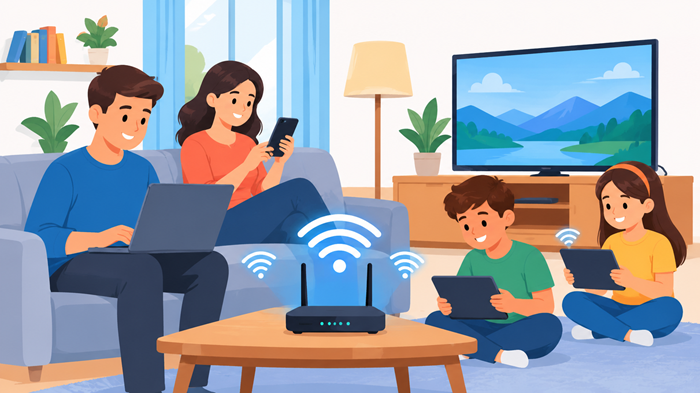
Choosing the right internet plan can make a noticeable difference in how smoothly your household operates. From streaming movies and attending video meetings to playing online games (GTA 6) and managing smart home devices, a reliable connection keeps everything running without unnecessary interruptions. But what is a good internet speed for everyday home use, and how much bandwidth does an average household actually need?
The answer depends on your household size, number of connected devices, and the online activities you enjoy. Some homes can manage comfortably with a basic connection, while others need faster speeds to support several people working, studying, and streaming simultaneously.
Key Takeaways
-
Most modern households benefit from a connection offering 100 Mbps download speed or higher.
-
The right plan depends on connected devices, simultaneous activities, and upload requirements.
-
Download speed, upload speed, and latency all influence internet performance.
-
A reliable connection and suitable Wi-Fi equipment matter just as much as advertised speeds.
What Is a Good Internet Speed?
A good internet speed is one that allows everyone in your household to browse, stream, download, attend meetings, and use connected devices without noticeable delays.
For a small household with basic browsing habits, a moderate connection may be sufficient. Larger families with multiple televisions, computers, smartphones, and gaming consoles generally need more bandwidth.
The Federal Communications Commission (FCC) updated its fixed broadband benchmark in 2024 to 100 Mbps download and 20 Mbps upload. This provides a useful reference point when evaluating modern internet requirements, although individual household needs can vary. Read the FCC broadband benchmark report.
When evaluating a good internet speed, consider how many devices are active simultaneously rather than looking only at the number of people living in your home.
Understanding Download Speed, Upload Speed, and Latency
Before selecting a package, it helps to understand the three measurements that determine your connection’s performance.
1. Download Speed
Download speed measures how quickly information travels from the internet to your device. It affects activities such as:
-
Watching movies and television shows.
-
Downloading applications and documents.
-
Browsing websites and social media.
-
Listening to online music.
-
Opening cloud-based files.
A higher download rate makes these activities faster, especially when several devices are sharing the connection.
2. Upload Speed
Upload speed measures how quickly your device sends information to the internet. It is particularly important for:
-
Uploading photographs and videos.
-
Attending video conferences.
-
Sharing large documents.
-
Backing up files to cloud storage.
-
Broadcasting live video.
People working remotely or regularly sharing large files should pay close attention to upload capacity.
3. Latency
Latency, commonly called ping, measures how long information takes to travel between your device and an internet server.
Lower latency generally means faster responses. It is particularly important for online gaming, video calls, and other activities that require immediate communication.
A connection can have impressive download speeds but still feel slow during interactive activities when latency is high.
What Internet Speed Do You Need for Different Activities?
Every online activity consumes bandwidth differently. Understanding these requirements makes it easier to select a plan that supports your daily routine.
Streaming Movies and Television
Streaming is one of the most common reasons households upgrade their internet connections. Watching high-definition content requires a stable connection, while ultra-high-definition streaming needs additional bandwidth.
According to Netflix’s official internet speed recommendations:
-
HD streaming at 720p requires at least 3 Mbps.
-
Full HD streaming at 1080p requires at least 5 Mbps.
-
Ultra HD streaming at 4K requires at least 15 Mbps.
These figures apply to an individual stream, not the entire household. Multiple televisions streaming simultaneously will require additional capacity.
A good internet speed for entertainment should also leave enough room for browsing, downloads, and other connected devices.
Working and Studying From Home
Remote work and online education involve more than simply opening websites. Video conferences, screen sharing, cloud applications, and file transfers all contribute to bandwidth usage.
A stable connection with sufficient upload capacity helps prevent frozen video, delayed communication, and interrupted presentations.
For households where several people attend online meetings or classes simultaneously, choosing a higher-capacity plan can make daily tasks more convenient.
Online Gaming
Online gaming requires a combination of sufficient bandwidth, low latency, and a stable connection.
Although many multiplayer games do not consume enormous amounts of bandwidth, updates, downloads, and simultaneous streaming can increase network demand.
A good internet speed for gaming should provide enough capacity for the game itself while supporting other household activities. Low ping and minimal packet loss are particularly important for competitive multiplayer games.
Whenever possible, connecting a gaming console or computer directly to the router using an Ethernet cable can improve connection stability.
Browsing and Everyday Internet Use
Browsing websites, checking emails, reading news, and using social media generally require less bandwidth than streaming or downloading large files.
However, several devices performing these activities simultaneously can still affect overall network performance.
For everyday household use, prioritize a connection that remains consistent during busy periods rather than choosing a plan based solely on its advertised maximum speed.
How Much Internet Speed Is Enough for Different Households?
There is no universal package that suits every household. The following ranges provide a practical starting point when comparing available plans.
| Household usage | Suggested download speed |
| One or two users with basic browsing | 25–50 Mbps |
| Small household with regular streaming | 50–100 Mbps |
| Family with several connected devices | 100–200 Mbps |
| Busy household with gaming and remote work | 200–300 Mbps |
| Large household with intensive simultaneous usage | 300 Mbps or higher |
These are practical planning ranges, not guaranteed minimum requirements. Actual needs depend on the number of simultaneous activities, connection quality, and service technology.
Is 100 Mbps Enough for a Home?
For many small and medium-sized households, 100 Mbps provides a comfortable experience. It can support multiple everyday activities, including browsing, video calls, and streaming, provided the network is stable.
However, several simultaneous high-resolution streams, large downloads, and demanding work applications may require additional bandwidth.
When Should You Consider 200 Mbps?
A 200 Mbps connection can be a sensible option for families with multiple users and connected devices.
It provides additional room for simultaneous streaming, video conferencing, gaming downloads, and everyday browsing without making the network feel unnecessarily congested.
Who Benefits From 300 Mbps?
A 300 Mbps plan is worth considering for larger households, frequent large-file downloads, and homes where several bandwidth-intensive activities happen together.
It can also provide additional capacity for future devices and changing internet habits.
What Factors Affect Your Actual Internet Speed?
Your subscribed package does not always determine the speed experienced by every device. Several factors can influence the connection.
1. Wi-Fi Router Quality
An outdated router may struggle to distribute bandwidth efficiently, particularly across multiple devices.
Modern routers with updated Wi-Fi standards generally offer better performance, coverage, and network management.
2. Distance From the Router
Wi-Fi signals can weaken as they travel through walls, floors, and furniture. Devices located far from the router may experience slower speeds or intermittent connections.
Positioning the router in a central, elevated location can improve coverage.
3. Number of Connected Devices
Smart televisions, phones, laptops, gaming consoles, security cameras, and smart home equipment all contribute to network activity.
More devices do not automatically mean slower internet, but simultaneous heavy usage can reduce available bandwidth.
4. Network Congestion
Internet performance may decline during busy periods when many users share the same network infrastructure.
This is particularly noticeable during evening hours when households are more likely to stream content, download files, and attend online meetings.
5. Internet Connection Technology
Fiber, cable, fixed wireless, DSL, and satellite connections offer different performance characteristics.
Fiber generally provides strong download and upload performance with low latency, while the actual experience with other technologies depends on infrastructure, location, and network conditions.
How to Choose the Right Home Internet Package
Selecting a suitable package requires more than comparing advertised download speeds. Consider these practical factors before making a decision.
Evaluate household usage: Identify how many people regularly use the internet and which activities consume the most bandwidth.
Check upload performance: A plan with strong download speeds but limited upload capacity may not be ideal for remote work, video conferencing, or large file transfers.
Compare reliability: Look at service consistency, network availability, customer support, and provider reputation.
Review pricing and limitations: Compare monthly costs, installation charges, contract conditions, equipment fees, and data allowances.
Allow room for growth: Your internet requirements may increase as you add connected devices, smart televisions, or new household activities.
You can explore available tv and internet providers to compare service options and find packages that better match your household requirements.
How to Test Whether Your Internet Speed Is Good
A speed test helps determine whether your actual connection performance matches the package you purchased.
For a more accurate result, follow these steps:
-
Connect your computer directly to the router using an Ethernet cable.
-
Close applications and pause ongoing downloads.
-
Open a reliable internet speed testing website.
-
Run the test several times at different times of the day.
-
Compare download speed, upload speed, and ping with your package details.
You can follow this practical guide on how to check internet speed to understand your connection’s performance.
Remember that testing over Wi-Fi may produce different results from a wired connection. Router placement, signal interference, and device limitations can all affect the measurements.
Simple Ways to Improve Your Home Internet Speed
Upgrading your package is not always the first solution to a slow connection. A few practical adjustments can improve the experience without increasing your monthly expenses.
-
Place your router in a central, open location.
-
Restart your router periodically when experiencing connectivity issues.
-
Update router firmware when updates are available.
-
Use Ethernet connections for devices that require consistent performance.
-
Disconnect unused devices that consume unnecessary bandwidth.
-
Consider a mesh Wi-Fi system for larger homes with coverage problems.
For more practical suggestions, explore these 5 ways to improve internet speed.
When choosing between satellite internet options, it is also worth comparing Viasat vs HughesNet internet speed to understand how their performance and service characteristics differ.
How JNA Helps With Internet and Digital Services
Finding the right internet connection is an important part of creating a reliable digital experience at home or work. JNA helps customers explore TV and Internet packages while also providing digital marketing services for businesses looking to strengthen their online presence.
Whether someone is comparing connectivity options or seeking support with digital growth, having access to relevant services through one provider makes the process more convenient. JNA brings these offerings together to support both everyday connectivity needs and business development.
Final Thoughts
Choosing a good internet speed is about finding the right balance between household requirements, connection reliability, and monthly costs. A basic plan may work for simple browsing, while larger households often benefit from additional bandwidth to support simultaneous streaming, gaming, and remote work.
Before purchasing a package, consider your daily internet habits, check both upload and download performance, and evaluate the quality of your home Wi-Fi network. A well-matched plan can provide a smoother online experience without paying for capacity your household rarely uses.
Frequently Asked Questions
1. What is a good internet speed for a normal household?
A connection offering 100 Mbps download speed is a useful starting point for many modern households.
2. Is higher internet speed always better?
Not necessarily; the right speed depends on household usage, connected devices, and network reliability.
3. Does internet speed affect streaming quality?
Yes, sufficient and stable bandwidth helps prevent buffering and supports higher video resolutions.
4. Is upload speed important for home internet?
Yes, upload speed matters for video calls, file sharing, cloud backups, and live streaming.
5. How often should I test my internet speed?
Testing occasionally and whenever performance problems occur helps identify potential connection issues.