

Why Is Organic Website Traffic Drops After a Redesign
October 30, 2026
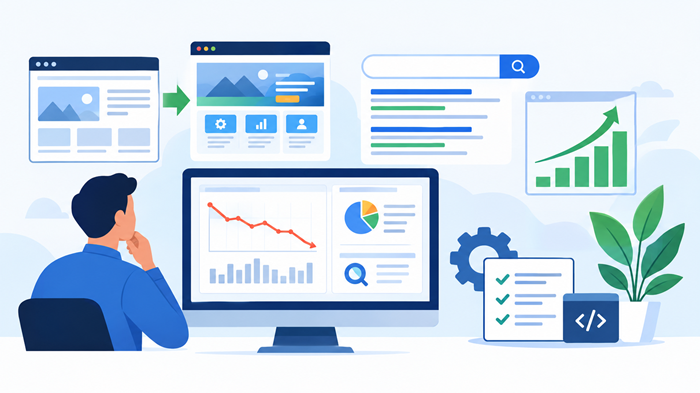
A website redesign is supposed to improve your online presence, create a better user experience, and help your business attract more customers. However, many businesses experience an unexpected problem after launching a new website: their organic website traffic starts dropping.
This decline can happen even when the redesigned website looks more attractive, loads faster, and offers improved navigation. The reason is simple: a successful redesign requires more than visual improvements. Changes to URLs, page content, internal links, technical SEO, and website structure can affect how search engines understand and rank your website.
Understanding why organic website traffic declines after a redesign is the first step toward recovering lost visibility and protecting your long-term search performance.
Key Takeaways
-
Incorrect URL changes and missing redirects can cause valuable search rankings to disappear.
-
Technical SEO problems can prevent search engines from crawling and indexing redesigned pages.
-
Changes to content, internal links, and page structure can reduce search relevance.
-
Regular monitoring and a structured SEO recovery strategy help restore organic visibility.
1. Incorrect URL Changes and Missing Redirects
One of the most common reasons for losing organic website traffic after a redesign is changing existing URLs without implementing proper redirects.
During a redesign, developers often update page structures, simplify URLs, or reorganize website categories. Although these changes may improve navigation, they can create SEO problems when old URLs stop working.
Consider an example:
Old URL: example.com/services/web-design.html
New URL: example.com/web-design/
Search engines may still have the old URL indexed, while external websites continue linking to it. When visitors or search engine crawlers reach a broken page, they may encounter a 404 error.
How to prevent redirect-related traffic loss
-
Create a complete list of existing website URLs before redesigning.
-
Map every important old URL to its most relevant new destination.
-
Implement permanent 301 redirects where pages have moved.
-
Avoid redirecting unrelated pages to the homepage.
-
Test redirects to identify broken links and unnecessary redirect chains.
Google recommends using permanent server-side redirects when URLs change. It also advises maintaining redirects for at least one year.
Refer to Google’s official site migration documentation for detailed guidance.
2. Important Pages Are Missing or Not Indexed
A redesigned website may unintentionally remove pages that previously generated consistent search traffic.
This commonly happens when businesses simplify their website structure, remove outdated-looking pages, or merge multiple service pages into one general page.
However, some older pages may have valuable backlinks, established rankings, and relevant search visibility.
Removing these pages without a suitable replacement can affect organic website traffic and reduce the number of opportunities your business has to appear in search results.
What should you check?
Open Google Search Console and review the indexing reports. Pay attention to:
-
Pages excluded from Google’s index.
-
Important URLs returning 404 errors.
-
Pages marked with an unexpected noindex directive.
-
Incorrect canonical tags.
-
URLs blocked by robots.txt.
-
New pages that have not been discovered or indexed.
Also, inspect important URLs using Google’s URL Inspection tool. This helps identify whether search engines can access and index your redesigned pages.
3. Website Content Has Changed Too Much
A website redesign often involves rewriting service descriptions, changing headings, shortening paragraphs, and replacing older content with new copy.
While improving content is beneficial, removing information that previously satisfied search intent can reduce search visibility.
For example, an older service page may have ranked for several specific search terms because it explained the service, answered customer questions, and included relevant supporting information.
During redesign, replacing that detailed page with a short promotional description may weaken its relevance.
The result can be lower rankings and declining organic website traffic.
How to protect content performance
Before changing existing content:
-
Identify pages receiving consistent organic visits.
-
Review their ranking keywords and search queries.
-
Preserve useful information that addresses customer questions.
-
Maintain relevant headings and supporting topics.
-
Update outdated information without removing valuable context.
-
Compare the old and new versions of important pages.
Focus on creating relevant content that converts more traffic rather than rewriting every page simply to match the new design.
4. Internal Linking Structure Has Been Damaged
Internal links help search engines understand the relationship between different pages on your website.
They also guide visitors toward relevant services, resources, and important information.
During a redesign, navigation menus, footer links, category structures, and contextual links are frequently changed. Sometimes, important pages lose the internal links that previously helped search engines discover them.
For instance, a service page that previously received links from the homepage, blog articles, and related service pages may become isolated after the redesign.
This can make it harder for search engines to discover its importance.
How to improve internal linking
Review your website’s navigation and ensure important pages receive relevant internal links.
Connect related blog articles with service pages, maintain useful breadcrumb navigation, and use descriptive anchor text.
Avoid adding links unnecessarily. Every internal link should provide value to visitors and help establish a clear relationship between related topics.
5. Technical SEO Problems Affect Search Visibility
A visually attractive website does not automatically perform well in search engines.
Sometimes, redesign projects introduce technical problems that negatively affect crawling, indexing, and page experience.
Common technical issues include:
-
Incorrect canonical tags.
-
Accidental noindex instructions.
-
Broken XML sitemaps.
-
Poor mobile responsiveness.
-
Slow server response times.
-
JavaScript rendering problems.
-
Missing structured data.
-
Incorrect robots.txt configurations.
Even a small technical mistake can affect several important pages.
For example, a developer might accidentally leave a noindex directive active after moving a website from its staging environment to the live server.
As a result, search engines may be instructed not to index pages that should appear in search results.
Regular technical audits and professional website management services can help identify these issues before they create significant ranking problems.
6. Website Speed and User Experience Have Declined
Website redesign projects often introduce high-resolution images, animations, sliders, additional scripts, and third-party plugins.
Although these elements may improve the visual appearance, they can also increase page loading time.
A slower website creates frustration for visitors, particularly those browsing through mobile devices or slower internet connections.
Google uses Core Web Vitals to evaluate important aspects of page experience, including loading performance, interactivity, and visual stability.
Review the official Core Web Vitals documentation to understand the key performance measurements.
Practical ways to improve performance
-
Compress images without sacrificing necessary quality.
-
Use modern image formats such as WebP or AVIF.
-
Remove unnecessary plugins and scripts.
-
Enable browser caching.
-
Optimize CSS and JavaScript delivery.
-
Use reliable hosting infrastructure.
-
Test mobile performance regularly.
Improving these areas creates a better browsing experience and supports overall search performance.
7. The New Website Structure Is Less SEO-Friendly
A redesign can change how information is organized across the website.
For example, a business may previously have separate pages for individual services but combine them into one general page after redesigning.
Although this creates a simpler structure, it may reduce the website’s ability to target specific search queries.
Search engines need clear signals about what each page covers. When different topics are combined without a logical structure, relevance can become less clear.
A well-planned website hierarchy should make important information accessible through a reasonable number of clicks.
What makes a search-friendly structure?
-
Clear categories and subcategories.
-
Descriptive page titles and headings.
-
Relevant URLs.
-
Logical navigation menus.
-
Contextual internal links.
-
Dedicated pages for distinct services.
-
Proper breadcrumb implementation.
Businesses planning a major update should consider redesigning your website for better seo traffic with search visibility included in the planning process.
8. How to Recover Organic Website Traffic After a Redesign
A decline in search visibility does not necessarily mean your redesign has permanently damaged website performance.
The right recovery strategy starts with identifying what changed and which pages experienced the biggest losses.
Step 1: Compare pre-redesign and post-redesign performance
Use Google Search Console and Google Analytics to compare performance before and after the launch.
Review clicks, impressions, average positions, landing pages, and organic sessions.
Identify whether the decline affects the entire website or only particular sections.
Step 2: Audit redirects and broken URLs
Crawl the redesigned website and compare its URLs with the previous version.
Check important pages for missing redirects, redirect loops, incorrect destinations, and broken internal links.
Step 3: Review indexing and technical issues
Inspect important URLs in Search Console. Check robots.txt, canonical tags, sitemap submissions, and unexpected noindex directives.
Submit an updated XML sitemap containing the correct canonical URLs.
Step 4: Restore valuable content
Identify pages that previously generated strong search performance.
Restore useful information, improve missing sections, and make sure the updated content continues addressing the original search intent.
Step 5: Monitor improvements consistently
Track search performance over the following weeks and months.
Google explains that significant site changes can cause temporary ranking fluctuations while its systems recrawl and reindex pages. The recovery period varies depending on website size, crawling capacity, and the extent of the changes.
Avoid making multiple major SEO changes without measuring their impact.
9. Why Professional SEO Support Matters After a Redesign
Recovering lost search visibility requires coordination between technical specialists, content professionals, and website developers.
An experienced team can identify technical problems, protect valuable URLs, improve content structure, and monitor search performance.
A reliable website management agency can also help businesses maintain website quality through regular updates, performance monitoring, security checks, and ongoing SEO improvements.
Similarly, understanding how a digital marketing agency improves cluttered website performance can help businesses recognize the importance of combining technical improvements with a clear digital strategy.
JNA provides affordable digital marketing services designed to help businesses strengthen their online presence, improve website performance, and build sustainable search visibility. With the right combination of technical SEO, content optimization, and ongoing website improvements, businesses can work toward recovering lost visitors and attracting more relevant customers.
Conclusion
A website redesign should improve your digital presence without sacrificing the search visibility you have already built.
However, missing redirects, removed content, indexing problems, broken internal links, and technical performance issues can affect organic website traffic after launch.
The most effective approach is to include SEO planning before the redesign, test every important element before publishing, and monitor performance after the website goes live.
Rather than focusing only on appearance, treat search visibility, user experience, and technical performance as equally important parts of your redesign strategy.
A well-maintained website can protect existing rankings while creating better opportunities for long-term business growth.
Frequently Asked Questions
1. Why does organic website traffic drop after a redesign?
Traffic can decline because of broken redirects, removed content, indexing problems, changed URLs, or technical SEO errors introduced during the redesign.
2. How long does it take to recover traffic after a website redesign?
Recovery may take several weeks or longer, depending on the website’s size, technical issues, and how quickly search engines recrawl and reindex its pages.
3. Can changing website URLs affect Google rankings?
Yes, changing URLs without relevant permanent redirects can disrupt indexing and search visibility for previously established pages.
4. Should SEO be considered before redesigning a website?
Yes, SEO should be included from the planning stage to preserve valuable URLs, content, backlinks, internal links, and existing search performance.
5. How can I monitor website traffic after a redesign?
Use Google Search Console and Google Analytics to monitor search clicks, impressions, rankings, landing pages, and organic sessions.