

What Is the Best Internet for Rural Areas? A Practical Guide
November 2, 2026
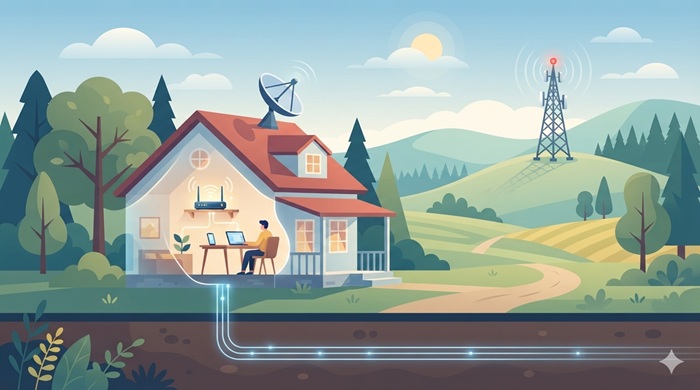
Finding reliable internet outside a city can be harder than comparing plans in town. Rural homes may have fewer providers, long distances from network infrastructure, and terrain that affects signal strength. Still, fiber, fixed wireless, cellular home internet, and satellite can all provide useful service, depending on the address. A practical search for internet for rural areas starts with the services that can reach the exact property.
The right plan is not simply the one with the biggest advertised speed. It should be available at your home, perform consistently, support your household’s activities, and fit your budget.
Key Takeaways
-
Fiber is usually the strongest option when it reaches the property.
-
Fixed wireless and 5G can offer a practical balance of speed and cost.
-
Satellite can connect homes beyond the reach of wired networks.
-
Compare real-world performance, data policies, equipment fees, and contract terms.
What Makes Rural Internet Different?
In cities, providers can connect many homes along established streets. Rural properties are farther apart, making cables and towers more expensive to build and maintain. Hills, trees, and valleys can also affect signal quality.
That is why internet for rural areas varies by community. A home near town may have cable or fiber, while a property a few miles away may rely on wireless or satellite. Even neighboring addresses can have different options.
Beyond availability, compare download and upload speed, latency, reliability, data limits, installation costs, and support. The FCC’s National Broadband Map lets U.S. consumers search an address for reported providers, technologies, and advertised speeds. It is a useful starting point, not a guarantee of real-world performance.
The Main Internet Options for Rural Homes
The Congressional Research Service overview of fixed broadband technologies explains how different connection types vary in performance and deployment requirements.
1. Fiber Internet: Best for Speed and Reliability
Fiber sends data through optical cables and generally offers fast downloads, strong uploads, and low latency. It suits video meetings, cloud backups, gaming, and homes with several connected users.
Where available, fiber is often the first option to check for internet for rural areas. However, extending cables across sparsely populated regions can be expensive, so remote addresses may not be connected. Installation may also require construction or a serviceability check.
2. Fixed Wireless: A Strong Alternative to Cables
Fixed wireless sends a signal from a nearby tower to an antenna at the home. Because it does not need a cable running to the property, it can serve communities with limited wired broadband.
Performance depends on tower distance, line of sight, network capacity, and obstructions. Ask about a site survey and typical evening speeds. Wireless internet for rural areas can be a good fit when a local provider offers a strong, reliable signal.
3. Satellite Internet: Coverage for Remote Locations
Satellite connects a home through an outdoor dish or terminal. It can reach places without fiber, cable, or terrestrial wireless networks, making it useful for isolated properties.
Modern low-Earth-orbit services can have lower latency than older geostationary systems. Still, plans, equipment costs, and performance vary. A clear view of the sky is usually needed, and severe weather may affect service. Review data policies and congestion rules. Satellite internet for rural areas may be the practical choice when wired and tower-based options are unavailable; compare hardware, installation, and monthly costs.
4. 4G LTE and 5G Home Internet
Some mobile carriers offer home internet through 4G LTE or 5G networks. A gateway receives the signal and shares it over Wi-Fi, often with simpler setup than a wired installation.
Signal and network capacity are the main limitations. Indoor reception varies with terrain, building materials, tower distance, and traffic. Confirm address eligibility, deprioritization rules, and any data or video limits.
5. DSL and Cable: Check What Is Already Nearby
DSL uses telephone lines; cable uses coaxial networks. Both may reach rural towns and established roads. Cable can be fast where upgraded, while DSL performance depends on the copper line’s condition and distance.
Ask for the expected speed at your address, not the maximum advertised speed. In some locations, this may be the most practical internet for rural areas. Check whether a phone or TV bundle is required.
How to Choose the Right Connection
The right internet for rural areas depends on household use. A household choosing internet for rural areas should begin with its busiest online hours, not an advertised speed alone. List the main activities: browsing, streaming, remote work, online classes, gaming, security cameras, or large uploads.
Match Speed to Household Use
A person who browses and streams needs less capacity than a family using several 4K televisions and video calls. Upload speed matters for meetings and large files; latency matters for gaming and calls. Compare upload and download figures, plus typical busy-hour performance.
Check Availability at the Exact Address
Search the exact address on provider websites and, in the United States, the FCC map. Address-level research is especially important when comparing internet for rural areas because coverage can change from one road to the next. Contact providers to confirm serviceability; coverage on a road or ZIP code does not mean every home can connect.
JNA provides a useful starting point for exploring tv & internet service providers and comparing available service options. Confirm plan details and coverage with the provider before placing an order, since offers and service areas can change.
Test the Connection Before and After Installation
After installation, test near the router and in frequently used rooms at different times, including evenings. This can reveal weak Wi-Fi coverage or congestion. A guide to checking internet speed explains download speed, upload speed, and latency.
Compare the Full Monthly and Upfront Cost
The advertised price may exclude equipment rental, installation, activation, taxes, or add-ons. Promotional rates can rise later, so check the regular price and contract length.
Review data allowances, overage charges, cancellation fees, and equipment returns. This guide on how to read your internet bill explains charges that are easy to miss.
Improve the Network Inside the Home
A strong incoming connection can still feel slow when the router is poorly placed. Put it in a central, open location, away from thick walls and appliances. Use Ethernet for devices that need stability. Mesh Wi-Fi can extend coverage but cannot repair a weak provider connection. See 5 ways to improving internet speed for practical adjustments.
What Speed Is Enough for Rural Households?
No single speed suits every home. The right internet for rural areas should provide enough capacity for everyone who is online at the same time. Basic browsing and standard-definition video need less capacity than simultaneous streaming, video meetings, gaming, and large uploads. Consider peak use, not just the number of devices: a thermostat uses little bandwidth, while several high-resolution streams need much more.
For remote workers, students, and larger families, high speed internet for rural areas should be judged by consistent performance, upload capacity, latency, data policies, and support—not just the advertised maximum.
How to Compare Providers Without Overpaying
Shortlist providers serving the exact property. Compare every internet for rural areas plan using the same fees, speed, and data criteria. Compare regular price, download and upload speeds, latency, data allowance, equipment and installation costs, contract length, and cancellation policy.
A bundle may look cheaper, but count only services the household needs. Review best tv and internet packages when choosing television and broadband together, then compare the bundle with separate plans.
Ask neighbors about evening performance and service during bad weather. Their experience can reveal local issues, although equipment and exact location still matter. The best internet for rural area is the plan that offers reliable performance at a fair total cost.
JNA’s Role in TV, Internet, and Digital Marketing
JNA is an agency providing TV and internet services as well as digital marketing services. This combination supports people exploring connectivity options and businesses working to strengthen their online presence. For rural business owners, dependable access can support customer communication, online bookings, advertising, and daily operations.
Confirm service availability and plan terms with the provider for the exact address. JNA can help explore relevant TV and internet options, while its marketing services help businesses build visibility online.
Final Thoughts
The right choice depends on local infrastructure and household needs. The strongest internet for rural areas is the one that consistently meets those needs at a sustainable price. Fiber is a strong first choice; fixed wireless and cellular can work well with reliable coverage, while satellite reaches more remote properties. Check DSL and cable where existing networks are nearby.
Verify address-level availability, compare total costs, and test performance after installation. A careful comparison helps internet for rural areas support work, learning, and entertainment without paying for unnecessary features.
Frequently Asked Questions
1. What type of internet works best in rural areas?
Fiber is usually the strongest option where available, while fixed wireless, cellular, and satellite serve many locations beyond wired networks.
2. Is satellite internet reliable for rural homes?
Modern satellite services can provide useful broadband, though performance may vary with weather, network congestion, equipment, and sky visibility.
3. Is fixed wireless better than satellite?
Fixed wireless may offer lower latency and competitive speeds, but it depends on tower coverage and a suitable signal path to the home.
4. How much internet speed does a rural household need?
The right speed depends on the number of users and activities; video calls, multiple streams, and large uploads need more capacity.
5. How can I check which providers serve my rural address?
Search the exact address on provider websites and the FCC National Broadband Map, then contact providers to confirm availability and plan details.